Structuring Your Video
Last updated: February 26, 2026
Sections + Timeline
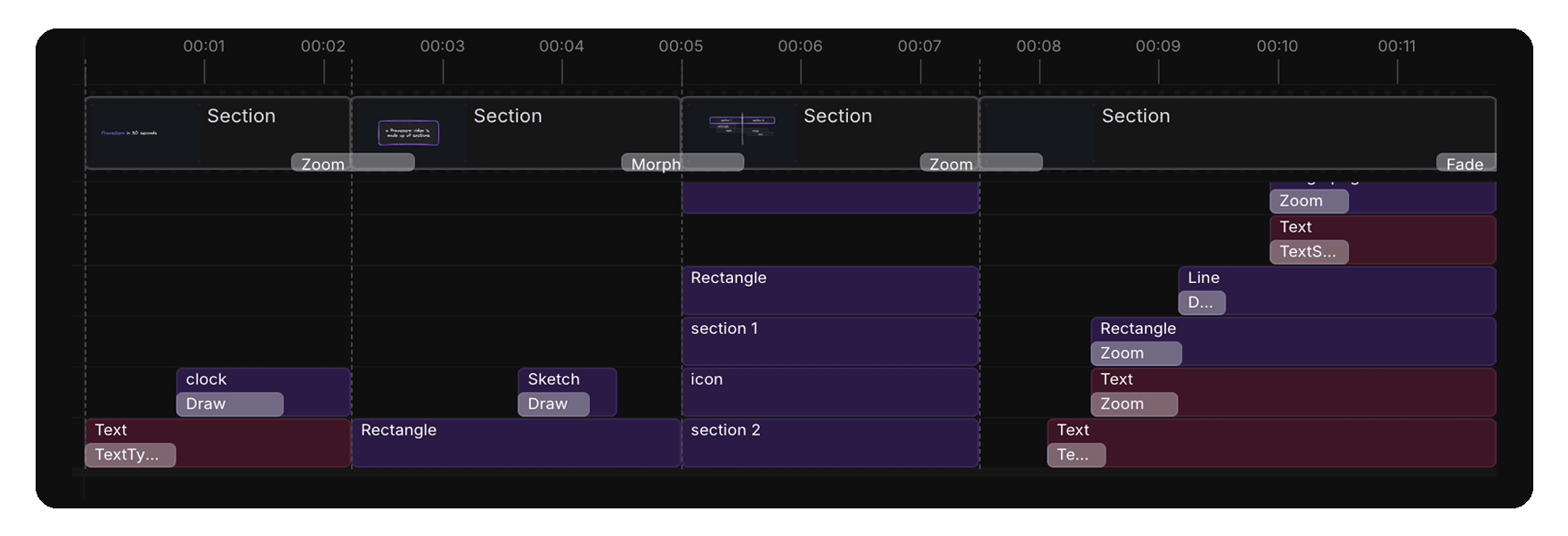
Sections are the building blocks of your video. They are used to group visual content together.
Think of sections like slides in a presentation or nested sequences in other video editors. By working with sections, you can create "scenes" within your video.
FrameZero uses sections to:
- Allow you to create organized "scenes" within your video.
- Support section-level transitions which make it easier to create complex transitions.
- Quickly use sections to split your video into smaller chunks.
Sections
Every visual element in your video is contained within a single section.
When you add a new element...
- If in existing section: it will be placed in the current section, starting at the current frame and continuing for the duration of the section.
- If in no section: it will create a new section starting at the current frame and place the element in it.
Section Behaviors
- When adjusting the timing of a section, it might clip its children so they stay contained within its bounds.
- When moving a section, it will move all of its children with it.
- When transitioning between sections, any child-level transitions will be ignored.