Introduction
Last updated: February 26, 2026
Getting Started
FrameZero is a whiteboard-first video editor. You build visuals directly on the canvas, then control when they appear on the timeline.
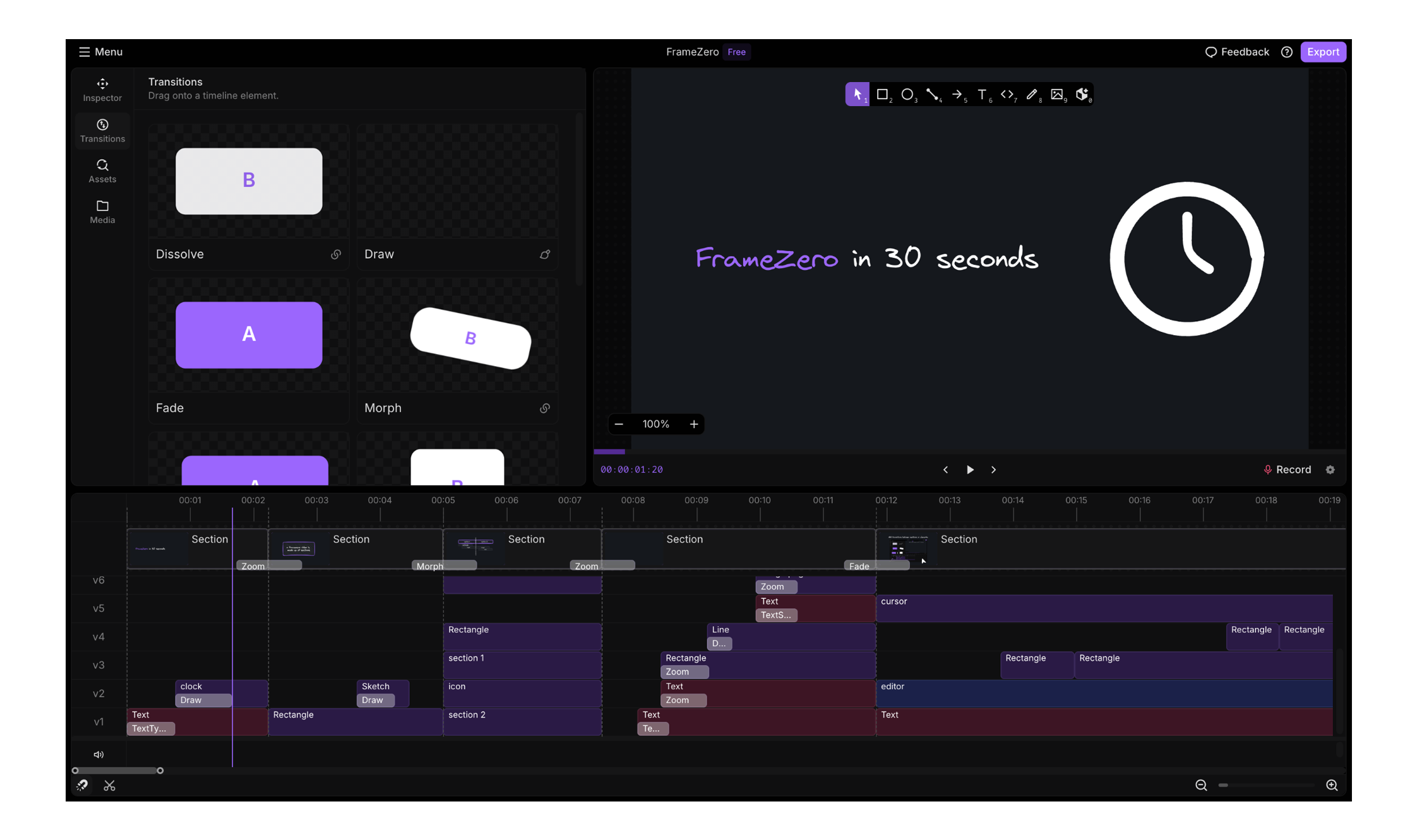
Editor layout (3 areas)
- Canvas: draw, place, and select elements.
- Sidebar: add tools, media, and transitions.
- Timeline: control timing, sections, and layer order.
Your first scene in 60 seconds
- Open the editor and choose either a blank scene or the onboarding sample.
- Add one element (text, shape, or drawing) from the toolbar.
- Move the playhead and trim or move the element in the timeline.
- Select the element and change one property from the editing controls.
- Press play to preview.
Scene settings to set first
Open scene settings early and set:
- Orientation / size for your target output.
- Background color or style.
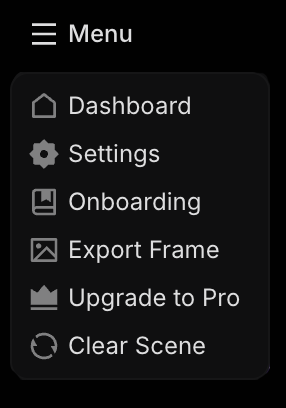
Where your work is saved
At a user level, you will typically work with two scopes:
- Local scene: stored on your current device/browser.
- Workspace/account-backed scene: available across your signed-in workspace context.
Use local for quick drafts and account-backed/workspace scenes when you need continuity across sessions and devices.
Know these 3 behaviors early
- New content starts at the current playhead time.
- Content lives inside a section and follows that section's timing bounds.
- Right-click on canvas elements for the fastest edit + transition actions.
Beginner pitfalls (quick checks)
- If the inspector looks empty, confirm something is selected.
- If timing feels wrong, check section bounds first.
- If visuals overlap unexpectedly, verify layer order in the timeline.